


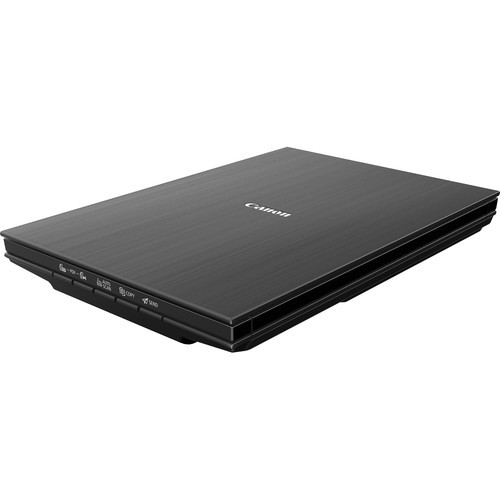
Accessories

LaserSoft Imaging
SilverFast SE 8.5 Scanner Software - Canon Cano-Scan 9000F Mk II
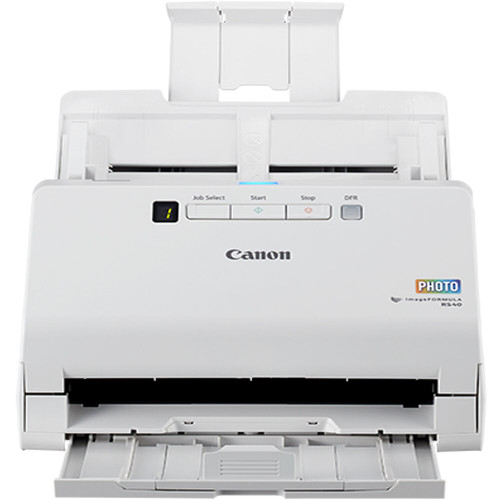
Canon ImageFORMULA R40II Office Document Scanner Overview
The imageFORMULA R40II office document scanner is simple to set up and easy to use. It is designed to help you increase productivity and organization at home or in the office. The R40II offers a compact body style and features a foldable paper feed tray to help optimize your desk space. By utilizing PDF and Optical Character Recognition (OCR) software, you can quickly convert many types of paper documents into searchable digital files.
Features
Stay Organized
Easily convert your paper documents into searchable digital formats.
Designed to Reliably Handle Many Document Types
Receipts, business cards, reports, contracts, long documents, thick or thin documents, and more.
Easy Installation
Scan and digitize a wide variety of document types and sizes including contracts, business cards, and more.
User Friendly Interface
Access the included easy-to-use Canon CaptureOnTouch software.
Delivery Options
Upload scanned content into a third-party cloud serviceFootnote2, like Google Drive, Dropbox, OneDrive SharePoint, and more.
Fast and Efficient
Scans both sides of a document at the same time, in color, at up to 45 pages per minuteFootnote1, with a 60 sheet capacity automatic feeder, and one-touch operation.
Easy Setup
Simply connect to your computer with the supplied USB-C version 2.0 cable.
Customer Service
Comes with a one-year limited warranty and supported by U.S.-based technical support.
imageFORMULA R40II + imageCLASS Laser Printer. The Workflow Power Duo.
Pairing the imageFORMULA R40II Office Document Scanner with a Canon imageCLASS Laser Printer creates an efficient, two-device solution that helps small businesses eliminate workflow bottlenecks. By separating scanning and printing tasks, digital archiving can continue uninterrupted, even while the printer is handling high-volume jobs or quick copies. Designed for small businesses with 1–20 employees, these desktop devices streamline document management, reduce downtime, and help accelerate digital transformation through purposeful hardware specialization.
-
- imageFORMULA R40II Scanner
- AC Adapter
- Power Cable
- USB 2.0 Type-C
- Setup Guide
- Safety Information for AC Adapter Model
- Warranty Card
- eCarePAK Card